
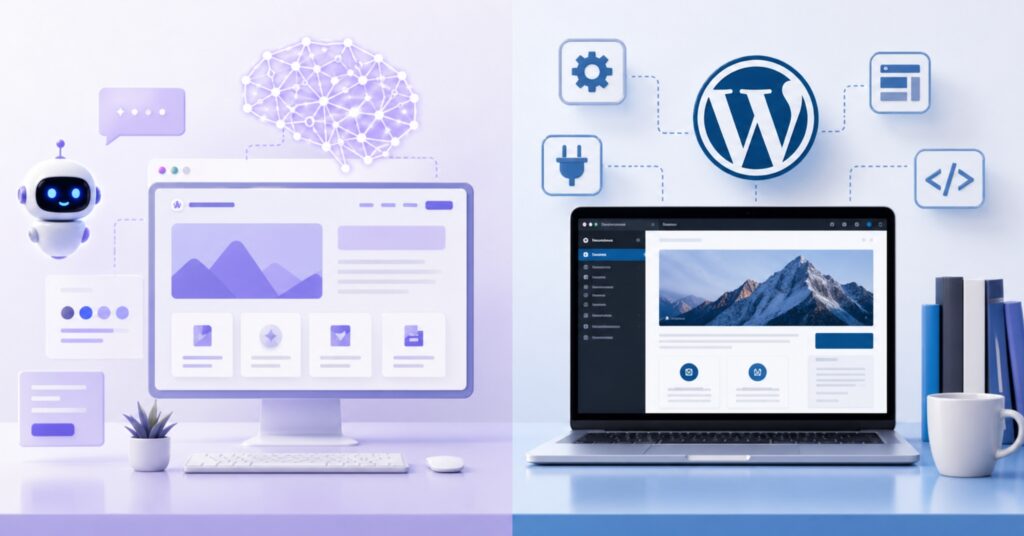
If you are planning a new website today, you are likely torn between two big options: modern AI website builders and the ever reliable WordPress. Both promise a professional site without starting from a blank screen, but they take very different paths to get you there.
This guide breaks down AI website builders vs WordPress in plain language so you can pick the right platform for your skills, budget, and long term goals.
The New Landscape of Website Development
In the last few years, website creation has shifted from manual coding and drag and drop builders to AI assisted tools that can generate full websites from a short description. At the same time, WordPress still powers more than 43% of all websites and over 60% of CMS based sites, so it remains the dominant platform worldwide.
AI builders focus on speed and simplicity: tell the AI about your business, and it creates layouts, content, and images for you. WordPress, on the other hand, is a full Content Management System (CMS) that gives you deep control, massive flexibility, and ownership of your content and code.
What Are AI Website Builders?
AI website builders are hosted tools that use artificial intelligence to design and build a site automatically based on your answers to a few questions or a short prompt. You typically:
- 1. Describe your business or project.
- 2. Choose a style or design preference.
- 3. Let the AI generate pages, layouts, colors, images, and placeholder text.
- 4. Make light edits in a visual editor.
Popular AI website builders include Wix ADI, Squarespace Blueprint AI, Durable, Framer AI, Hostinger’s AI builder, 10Web, and others.
How AI Website Builders Work
Most AI builders combine a questionnaire or chat style interface with a template library and pre built content blocks.
- Wix ADI, for example, asks about your industry, design preferences, and required features, then generates a complete website with prefilled sections and integrated features like booking or ecommerce.
- Platforms like Durable can build a multi page business site in under 30 seconds from a short business description.
- Some AI tools like 10Web even generate a full WordPress site underneath, including theme, plugins, and content.
You don’t touch code, hosting configuration, or databases—the platform manages everything for you.
Advantages of AI Website Builders
AI website builders shine in a few key areas:
- Speed to launch: Many AI builders can create a ready to edit site in minutes, and some like Durable can produce a multi page site in under half a minute.
- Ease of use: They are designed for non technical users; setup is guided through simple questions, and editing is drag and drop.
- No coding or server management: Hosting, security updates, and platform maintenance are handled by the provider.
- All in one pricing: Plans usually bundle hosting, builder, and often domain and basic marketing tools into a monthly fee.
- Good enough design for simple sites: Tools like Framer AI and Squarespace Blueprint can output visually polished, modern layouts with minimal effort.
For freelancers, small local businesses, or personal portfolios that need to go live quickly, this combination can be very attractive.
Limitations of AI Website Builders
The same simplifications that make AI builders easy can also become constraints as your needs grow:
- Limited customization: Many AI platforms keep you inside predefined layouts and components; advanced animations, complex integrations, or very unique designs can be difficult or impossible.
- Vendor lock in: A lot of AI builders do not allow you to fully export your site’s code, so you are tied to that provider’s hosting and pricing.
- SEO constraints: While they often cover basics like mobile responsiveness and SSL, reviews and SEO analyses show that many AI builders miss deeper SEO elements such as advanced schema markup, fine grained meta control, redirects, and performance tuning.
- Generic content risk: AI generated copy can be thin or similar across many sites, which risks duplicate or low quality content signals in Google’s algorithms.
- Poor scalability: Several AI platforms are optimized for small brochure sites, not large blogs, content libraries, or complex ecommerce; expanding structure, managing redirects, or adding advanced features can be difficult.
If you need serious organic traffic or plan to grow your site significantly, these hidden limits matter.
What Is WordPress?
WordPress is an open source Content Management System (CMS) that lets you create and manage websites by combining themes, plugins, and custom content, all running on your own hosting (WordPress.com)
As of 2025, WordPress powers more than 43% of all websites and over 60% of sites using a CMS, making it the clear leader in the market.
WordPress Strengths
WordPress has remained dominant for some clear reasons:
- Flexibility and use cases: You can build almost anything—from a simple blog to complex ecommerce stores, membership platforms, learning management systems, and enterprise websites.
- Massive plugin and theme ecosystem: There are over 59,000 free plugins and more than 13,000 themes, plus thousands of premium options, giving you enormous freedom to add features without touching code.
- SEO friendly architecture: WordPress supports clean URLs, fast loading themes, and dedicated SEO plugins like Yoast SEO and Rank Math, which help implement best practices as search algorithms evolve.
- Ownership and control: With self hosted WordPress, you control your hosting, database, code, and content, and you are not locked into a single vendor’s closed system.
- Strong community: A huge global community produces tutorials, support forums, plugins, and themes, reducing the risk of being stuck when you hit a problem.
For agencies, serious bloggers, and growing businesses, this flexibility and ownership are major advantages.
Challenges of WordPress
WordPress is powerful, but it is not “push a button and you’re done”:
- Learning curve: Compared with AI builders, WordPress requires more understanding of themes, plugins, hosting, and basic web concepts before you can fully control your site.
- Ongoing maintenance: You (or your developer) are responsible for updates, backups, performance optimization, and security hardening on self hosted sites.
- Security exposure: Its popularity makes WordPress a common target for attacks; using outdated plugins or poor configurations can create vulnerabilities.
- Variable cost: While WordPress itself is free, you may pay for quality hosting, premium themes, and plugins, which can add up depending on what you need.
WordPress.com vs WordPress.org (Quick Overview)
- WordPress.com is a hosted service where the platform handles hosting and much of the technical maintenance, but you are more limited in which plugins/themes you can use unless you pay for higher tier plans.
- WordPress.org refers to the self hosted, open source software that you install on your own hosting; it gives you maximum control, flexibility, and access to the full plugin/theme ecosystem.
For most serious website projects and agencies, WordPress.org (self hosted) is the preferred path because it offers full ownership and extensibility.
AI Website Builders vs WordPress: Head to Head
To decide between AI website builders and WordPress, it helps to compare them across the key factors you care about.
Ease of Use
- AI builders: Designed primarily for beginners and non technical users. Onboarding is often question based, and the AI handles layout, colors, and initial content so users avoid “blank page syndrome.”
- WordPress: More powerful, but requires some learning to understand themes, plugins, and site structure. Many users rely on page builders like Elementor or Gutenberg blocks to get a visual editing experience.
If you want something live tonight and have zero technical background, AI builders are clearly easier.
Customization and Flexibility
- AI builders: Excellent for quick, standard layouts but limited once you move beyond what their templates and settings offer. You usually cannot deeply change the underlying code or architecture.
- WordPress: Extremely flexible; you can use plugins, custom themes, and custom code to build almost any functionality or design. This makes it far more suitable for unique brands and complex features.
For truly custom experiences or niche requirements, WordPress wins comfortably.
Scalability and Growth
- AI builders: Many AI platforms are built for small brochure sites and simple online presences; adding hundreds of pages, complex taxonomies, or advanced content workflows can be difficult or unsupported.
- WordPress: Designed to handle sites of almost any size when paired with proper hosting and optimization; it powers everything from small blogs to major media outlets and ecommerce stores.
If you expect significant content growth, multiple authors, or complex structures, WordPress is the safer long term bet.
Cost
- AI builders: Typically use a SaaS model with monthly fees that bundle hosting and platform features. For example, AI assisted plans at popular builders often start around the equivalent of a few to several tens of dollars per month (e.g., Squarespace from 16, Framer from 5, 10Web from 13, Durable from 12, Wix from 17 on certain plans).
- WordPress: The core software is free and open source, but you pay separately for hosting, domain, and any premium themes or plugins. Basic shared hosting can be very affordable, while managed WordPress hosting and premium stacks can cost more but provide higher performance and support.
For very small, short term sites, an AI builder’s bundled pricing can be simpler; for long term projects, WordPress often delivers better ROI because you aren’t locked into a single vendor’s pricing structure.
SEO Performance
- AI builders: They usually meet basic SEO requirements (mobile friendly designs, SSL, simple meta tags), but deeper SEO options are often missing or very limited. Analyses highlight issues like bloated or JavaScript heavy code, weak control over metadata and schema, and difficulty adding redirects or advanced SEO structure, which can hurt rankings.
- WordPress: Widely regarded as SEO friendly, especially when combined with good hosting, lightweight themes, and plugins like Yoast SEO or Rank Math. You can control URLs, meta tags, schema, performance optimizations, and content structure in much more detail.
If organic search traffic is a strategic priority, WordPress generally offers a stronger foundation and more tools to compete.
Time to Launch
- AI builders: Built specifically for speed; it is realistic to go from idea to live site in under an hour, and some tools generate the initial site in seconds.
- WordPress: Can be launched quickly with a good host and pre built theme, but you will still need to configure plugins, menus, and content manually, which takes more effort than an AI generated starter site.
For urgent launches or temporary campaigns, AI builders have the edge in initial speed.
Summary Table: AI Website Builders vs WordPress
| Factor | AI Website Builders | WordPress |
|---|---|---|
| Ease of use | Very beginner friendly; guided setup and AI generated designs. | Steeper learning curve; powerful but needs more setup and understanding. |
| Customization | Limited to what the platform exposes; harder to go beyond templates. | Extremely flexible via themes, plugins, and custom code. |
| Scalability | Best for small, simple sites; not ideal for large content or complex logic. | Suitable for blogs, ecommerce, membership, and enterprise sites with proper hosting. |
| Cost | All in one monthly fee including hosting; easy to predict. | Software is free; you pay for hosting, domain, and any premium tools. |
| SEO | Basic SEO only; limited control, potential technical and content issues. | Strong SEO capabilities with specialized plugins and full control. |
| Time to launch | Fastest option; can generate a site in minutes or less. | Quick with experience, but slower than AI generators overall. |
| Ownership & lock in | Usually closed, hosted platforms with limited export options. | Full ownership and portability on self hosted setups. |
Who Should Choose AI Website Builders vs WordPress?
Different tools fit different situations. Here is a practical way to decide.
Choose AI Website Builders If…
- You need a simple site very quickly: For example, a basic landing page, local service site, or personal portfolio that has to go live today.
- You have no technical skills and no interest in learning: You want a “done for you” experience with minimal decisions beyond text and images.
- Your SEO and growth needs are modest: You mainly want a digital business card rather than a content driven traffic machine.
- You prefer bundled billing: Paying one monthly subscription that covers hosting, builder, and extra tools is more comfortable than assembling your own stack.
For solo professionals, side projects, or early stage experiments with unclear long term plans, AI builders can be a smart, low friction starting point.
Choose WordPress If…
- You care about long term SEO and organic traffic: You plan to publish content regularly, compete in search results, and need control over technical and on page SEO.
- Your site will grow in size or complexity: Blogs, news sites, communities, LMS platforms, and serious ecommerce stores benefit from WordPress’s scalability and plugin ecosystem.
- You want full ownership and portability: You prefer not to be locked into a single AI platform’s infrastructure and limitations.
- You run an agency or build sites for clients: WordPress lets agencies create highly customized solutions, reuse workflows, and control hosting, which is why many agencies still rely on it in 2025.
- You are willing to invest time (or money) into setup and maintenance: Either you learn the basics yourself or hire professionals to handle the technical side.
For serious blogs, content businesses, established brands, and agencies, WordPress is usually the more strategic choice.
Hybrid Approaches
You do not necessarily have to choose one forever:
- Tools like 10Web use AI to generate sites that run on WordPress, giving you some AI speed with WordPress flexibility underneath.
- You can start with an AI builder to validate an idea, then migrate to WordPress later—though migration may involve manually rebuilding the site because many AI platforms lack export options.
This hybrid thinking can help if you want early speed but long term control.
Final Thoughts: AI Website Builders vs WordPress
AI website builders and WordPress both have a place in today’s web ecosystem—they simply target different priorities.
AI builders are all about speed, simplicity, and convenience: ideal when you need a good looking, functional site with minimal effort and you are comfortable living within the platform’s limits. WordPress is about flexibility, control, and scalability: it demands more from you upfront but pays you back with long term SEO strength, extensibility, and ownership.
The “better” choice depends on your goals:
- If you want a fast, low effort launch for a small site, an AI website builder is likely enough.
- If you want to build a durable digital asset that can grow, rank, and evolve with your business, WordPress remains the stronger foundation.
- If you want a fast, low effort launch for a small site, an AI website builder is likely enough.
Before you decide, write down your 1 year and 3 year goals for the site—traffic, features, content volume, and budget. Align those goals with what each platform is really optimized for, not just what looks easiest in the first hour. That alignment will matter far more than any feature checklist.
Need a Custom WordPress Website?
We design, develop, and optimize WordPress sites tailored to your business goals.